
Track Expenses
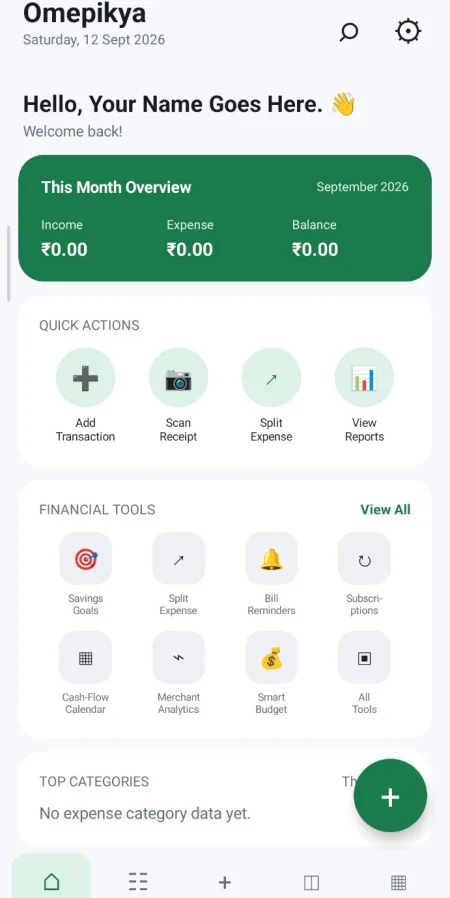
Record income and expenses quickly and keep your financial activity organised.
Explore expense tracking →Track expenses, plan budgets, understand your spending, and build better financial habits — all in one focused app.


Omepikya Expense combines everyday tracking with practical tools for understanding, planning, and improving your finances.
Record income and expenses quickly and keep your financial activity organised.
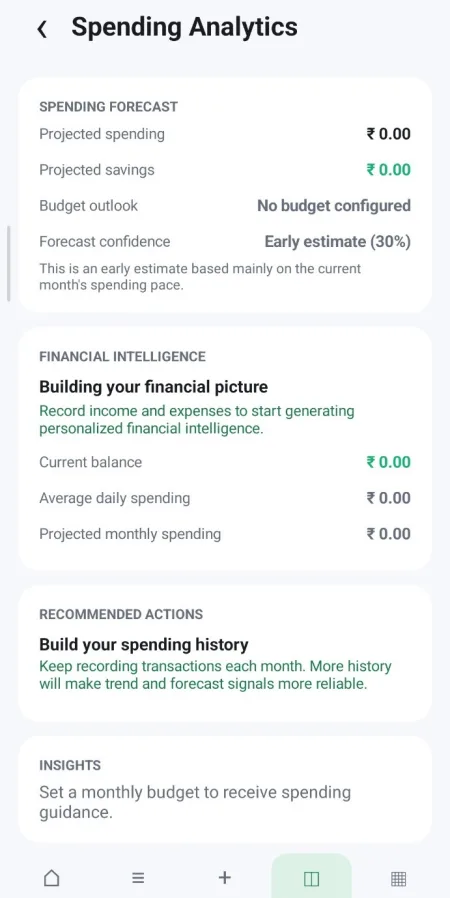
Explore expense tracking →See patterns, trends, and financial activity through clear visual analytics.
View spending analytics →Set spending limits and savings targets, then keep progress connected to your goals.
Explore budget planning →Turn financial activity into useful insights, alerts, trends, and forecasts.
Learn more →Capture receipts and extract useful transaction information with the app's receipt tools.
Explore receipt tools →Divide shared transactions between people and keep the resulting amounts organised.
Explore expense splitting →Keep regular financial activity organised.
Surface useful financial activity and reminders.
See income and expenses across time.
Keep important recurring obligations visible.
Understand recurring subscription activity.
Understand where your everyday spending goes.
Find and review previous transactions quickly.
Explore focused guides to Omepikya Expense features and the everyday financial tasks they support.
Connect tracking, planning, analytics, receipts, and cash flow.
Capture receipts and connect useful information with expenses.
Review income, expenses, recurring activity, and timing.
Organise shared spending and divided transaction amounts.
Learn about the product and the ideas behind the experience.
Explore the complete Omepikya Expense workflow.
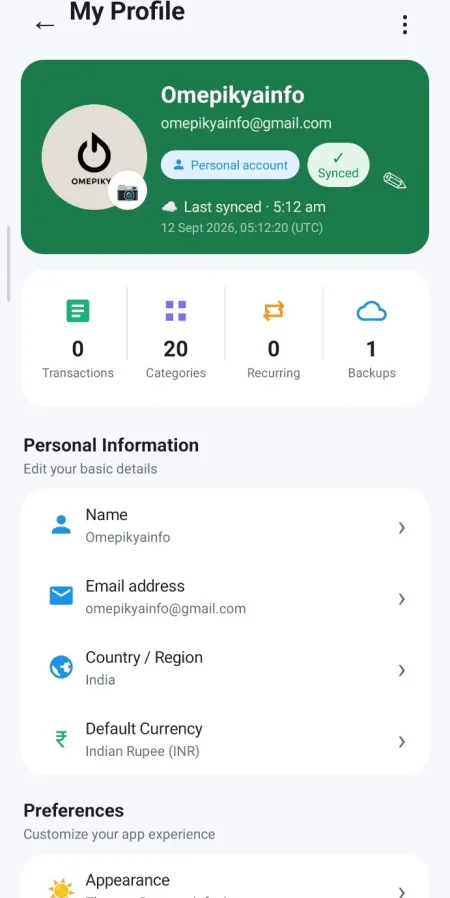
Explore real screens from the Omepikya Expense app — from everyday transactions to deeper financial insights.
Tap a screen to view the full gallery.
Omepikya Expense is designed around the idea that personal financial information should be handled carefully, transparently, and with user control in mind.
The app can contain information such as expenses, income, categories, dates, amounts, notes, and other information you choose to enter.
Cloud-enabled features use an authenticated account so that supported financial data can be associated with the appropriate user.
Some application information may be stored on your device to support the app experience and its financial features.
Where cloud features are used, relevant application data can be synchronized through Omepikya's supported cloud infrastructure.
You decide what financial information you enter into the application. Avoid entering information that is not needed for the feature you are using.
Omepikya does not use vague privacy claims to hide how the application works. Our goal is to keep the experience understandable as the platform evolves.
Omepikya Expense handles information that can be financially sensitive. The application therefore uses multiple layers of protection across account access, local app usage, and supported cloud features.
Cloud-enabled functionality is built around authenticated users rather than treating financial information as openly accessible data.
Account-based features use protected application sessions so authenticated access can be maintained without exposing account credentials unnecessarily.
Where supported and enabled by the user, biometric authentication can provide an additional layer of protection when accessing the application.
Supported cloud communication is designed to use secure application network flows when exchanging information with backend services.
Information stored or used locally is handled within the application's Android environment and its defined data flows.
Authentication, synchronization, local data handling, and account access are treated as separate security concerns as the platform continues to evolve.
If you discover a security issue in Omepikya, please contact us privately before publicly disclosing technical details so the issue can be investigated.
Omepikya is designed to turn everyday financial activity into information you can actually use.
Record your income and expenses as they happen.
Categorize and manage transactions so your financial activity stays clear.
Use analytics, history, calendars, and insights to understand your financial patterns.
Turn what you learn into better spending, saving, and planning decisions.
Supported cloud features connect your authenticated account and financial data so your experience can move with you.
Track expenses, understand your spending, and take greater control of your financial life with Omepikya Expense.
Download for Android →
Whether you've found a problem, have a question about the app, or want to share feedback, we'd like to hear from you.
Email Omepikya →Information about privacy, security, support, and the responsible use of Omepikya Expense should remain easy to find.